PORTABILITY AND QUALITY NOT QUANTITY

greenmoonconsulting@gmail.com
No adware, spyware, trojans, worms, try this program during install, or anything else misleading. Just a free tool with allot of free to use tools for personal use apps/plugins. Tested on latest versions of windows 10, 64bit. also Winpe 64bit. No warranty and i accept no responsibility of what you do with this software. If your software is included with this toolbox. It was not hacked. it was already portable or i installed and copy pasted and tested afterwards. If you dont want me to advertise your software, then send me an email and i will remove. Thank you for your support and Enjoy!
Gmc Toolbox
Preview Slideshow
plugins available
Features
Over the years i have compared and tested countless free apps or free enough for some benefit to add to my collection. I then organized these apps as tools in a app launcher. I understand there are many other app launchers, so why choose this toolbox?
1. The toolbox runs in any version of WINPE or Windows environment. Even if your version of WINPE only has a command prompt. All you need is built into the toolbox, including a file explorer, web browser, remote desktop, recovery tools, virus scanners, and many other functions.
2. Another great feature would be its true portability. No installation needed and everything is contained within the GMC_Toolbox folder.
3. it saves you time figuring out and testing the best free apps and making sure you have apps for each thing a pc tech might need.
4. The toolbox has an update feature which downloads the apps directly from the web. The toolbox is very small, so you can choose which apps you like or use. Also some apps will be removed by antivirus's. This makes it quicker to get the app back, then add to exception list on your scanner.
5. I have built in some shortcuts from within windows in the program, and implemented many useful batches and scripts ( ex: add user, show admin users, show users, show checkdisk results, run sfc, run dism, etc )
Also remember that some antivirus's might advise you to not install unless you trust warning. This rarely happens, only when i release a newer version, and Microsoft SmartScreen hasn't had time to build a reputation for the program. Once again this should be rare, since i digitally sign the application.
Features and Benefits
Built In Features
---info tab---
update toolbox
reboot PC
reboot safe mode
reboot safe mode with networking
shutdown PC
---repair tab---
add user on pc
add admin user on pc
delete user/admin on pc
enable user/admin on pc
disable user/admin on pc
show all users on pc
show only admins on pc
schedule checkdisk on c drive next reboot
show checkdisk results from previous scans
run SFC /Scannow, to repair OS Components
run DISM to repair OS Components
msconfig
command prompt
add/remove programs shortcut
schedule tasks shortcut
power options shortcut
folder options shortcut
reset file explorer
--recovery tab---
--Network--
IPconfig
Public Ip
Adapters
Ip Release
Ip Renew
Open Connections
Flush DNS
Reg DNS
ARP Listing
Delete ARP
Del Wireless - built in
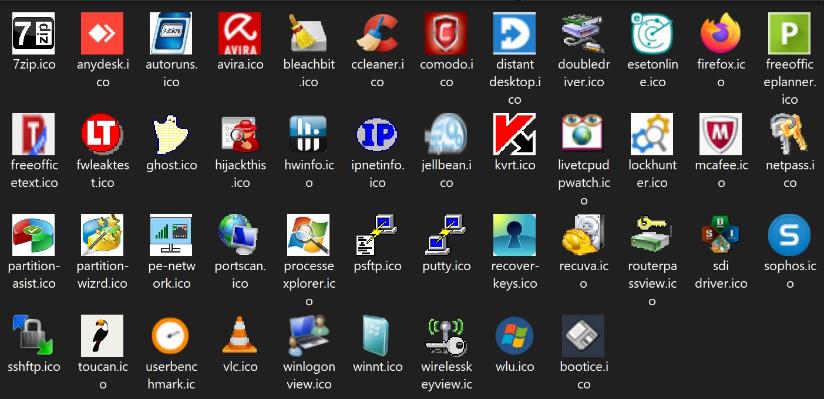
Included Programs
---info tab---
rotate.exe rotate desktop oreitation
---repair tab---
show windows logon events - credit too nircom.com
teamviewer portable - credit too teamviewer.com
Hardware Info HWInfo32 - credit too HWInfo32
BenchMark PC - credit to userbenchmark.com
harddrive test - credit to hdscan.com
VLC Player - credit to VLC.com
md5 checker - credit to winmd5free.com
cpu process - credit too sysinternals.com
7 zip - credit to 7zip.com
file unlocker - credit to iobitunlocker.com
folder options shortcut - built in
clean windows - credit to bleachbit.com
rebuild icon cache - batch credit to
clear event viewer - bacth credit to
--recovery tab---
reset windows password offline - credit to NTPWEdit.com
Nirsoft Key Finder - credit to nirsoft.com
NDQ Key Finder - credit to Ndq.com
Router Config extract wifi key - credit to nirsoft.com
Network Extract Password - credit to nirsoft.com
Double Driver Backup Restore - credit doubledriver.com
Ghost Imaging - credit to norton.com
Fix MBR - credit to Bootice.com
Partion Editor 32 bit -credit to Macrorit.com
Partion Editor 64 bit -credit to Macrorit.com
recuva file reovery - credit to recuva.com
Data Recovery - credit to datarecovery.com
Disk Drill file recovery - credit to diskdrill.com
Wisedata file recovery - credit to Wisedata.com
Getdataback file recovery - credit to getdataback.com
Kaspersky portable antivirus - credit to kaspersky.com
Sophos Antivirus - credi to sophos.com
Emsisoft anti-malware - credi to emsisoft.com
HiJackThis Anti-Spyware - credit to hijackthis.com
Ccleaner registry cleaner - credit to ccleaner.com
--Network--
Net Scan - credit to softperfectnetworkscanner.com
Wireless Key - credit to nirsofer.com
SSH CMD - credit to Putty.com
SSH FTP - credit to Winscp.com
© Copyright Green Moon Consulting